Have a question?
Message sent Close

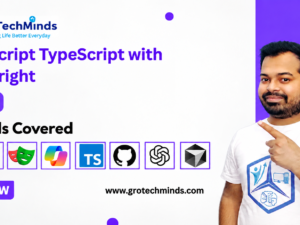
AI-Powered Automation testing With Playwright & JavaScript/TypeScript

This programme provides a rigorous foundation in designing, implementing, and optimising intelligent test automation for contemporary web applications. Participants will ... Show more
  • Description

API Testing with SQL


    Up-and-Coming Class Info

    Mode
    Online

    ?Instructor
    Deepesh Yadav

    Duration
    3 month

    Recorded Video Access
    1 Year

    Course Start Date
    Sept 2026

    Timings
    7.00 PM – 8.00 PM IST

    AI-Powered Automation testing With PLaywright & TypeScript Course Outcome

    • Demonstrate proficiency in fundamental Playwright commands within a TypeScript environment to enable effective and intelligent interaction with diverse web elements.
    • Utilise a variety of Playwright locators—including ID, Name, XPath, and CSS selectors—to accurately identify and interact with elements on complex web interfaces.
    • Apply AI-assisted strategies to handle dynamic and adaptive web elements, ensuring reliability and stability in automated test execution.
    • Implement cross-browser testing methodologies using Playwright with TypeScript to ensure compatibility and consistent user experiences across major browsers.
    • Design and execute data-driven testing frameworks that leverage Playwright’s capabilities with TypeScript for scalable and maintainable automation solutions.
    • Integrate Playwright with leading TypeScript-based testing frameworks, such as Mocha, Jest, or Test Runner, to enhance test structure, reporting, and maintainability.
    • Manage advanced browser interactions, including handling pop-ups, iframes, alerts, and multiple window contexts, through efficient Playwright scripting in TypeScript.
    • Leverage Playwright’s capabilities for managing cookies, sessions, and dropdown elements, applying AI-based optimisations for improved automation performance.
    • Identify, diagnose, and resolve automation issues through advanced troubleshooting and debugging techniques within a TypeScript and AI-augmented environment.
    • Explore advanced automation topics, including headless testing, secure handling of SSL certificates, and AI-integrated testing workflows for comprehensive and future-ready automation coverage.

    Master JavaScript playwright Tools

    Jenkins
    Jenkins
    GitHub
    GitHub
    JavaScript
    JavaScript
    Playwright
    Playwright
    GitBash
    GitBash
    GitHub Actions
    GitHub Actions
    ChatGPT
    ChatGPT
    Copilot
    Copilot

    AI-Powered Automation testing With PLaywright & TypeScript course features
    • Comprehensive Curriculum
    • Expert Instructors
    • Interactive Learning
    • Weekly Tests
    • Feedback and Assessment
    • Real time Projects
    • Continuous Support
    • ISO Certification
    • Mock Interview
    • Unlimited Placement Support

    JavaScript playwright Course Syllabus

    Module 1

    TYPESCRIPT PROGRAMMING

    • Introduction to Typescript language
    • Declaring Variables in Type Script
    • Data types in Typescript
    • Loops and Conditional Statements
    • Logical Operators
    • Arrays and Methods with Detailed Examples
    • Functions in Type script
    • Understanding Var , let, Const keywords in Type Script
    • String and its related Functions with
    • Examples
    • OOPs Concepts , Class, Object
    • Inheritance
    • Access modifiers
    • Export and imports classes
    • Exception handling
    • Debugging the code
    • Understand the difference between JavaScript & Typescript

    Module 2

    PlayWright Automation Core Concepts

    • Introduction to Playwright Creation of NPM Project and
      installation of Playwright
    • Importance of Playwright-Async Wait ,Browser context and
      page fixtures
    • Idea on Different types of locators in playwright
    • Playwright basic methods for Web Automation testing
    • Handling Different UI elements with playwright
    • Browser Context in playwright(handling different user sessions)

    Module 3

    Deep Diving into Advance concepts of Playwright

    • Handling Dropdowns and PopUps in playwright
    • Handling mousehover,mouseclick and Drag and Drop
      operation in playwright
    • Handling Web dialogs ,frames and event listener using
      playwright
    • Capturing Screenshot and perform visual testing in playwright
    • Handling Excel Utility and uploads and downloads in
      playwright

    Module 4

    Introduction and Overview of Cucumber

    • What is Cucumber framework and how it fits in Playwright
    • Cucumber Configuration ,setting up feature files and
      implementation of step definition
    • Idea on Cucumber hooks , Cucumber tags and tagged
      hooks
    • World Constructor and its usage in playwright
    • Parameterization in Cucumber and parallel execution in
      playwright
    • HTML reports in Cucumber playwright and and rerun failed
      scenarios

    Module 5

    Project Configuration from Scratch in Playwright

    • What is Page Object Model and its importance in playwright
    • Using Property files , Utilities and Constants in playwright
    • Creation of Page objects and Action Methods for end to end
      script
    • Driving data from external JSON files in the framework
    • Implementation of parameterization in running test with
      different data sets
    • HTML and Allure reporting integration with existing automation
      framework

    Module 6

    GITHUB and Jenkins Integration with Automation
    Framework

    • Idea and Overview of GIT commands
    • Idea on CICD concepts and Overview ,Installation of Jenkins
    • Deep diving into different options in Jenkins
    • GITHUB+Playwright+Jenkins Integration

    Module 7

    REPORTING FRAMEWORK

    • Allure Reporting
    • HTML Reports

    Module 8

    AI-Powered Automation Testing

    • Writing test cases & plans with AI (ChatGPT, GitHub Copilot)
    • Writing Playwright automation code with AI
    • Setting up automation pipelines with AI (GitHub Actions)

    Who Should Enrol in this course?

    • Students or recent graduates

    • Quality assurance professionals who want to specialize in Software testing

    • Individuals who are looking to transition into a career in software testing

    • Software developers who want to expand their skill set and learn more about Software testing

    • Project managers Non IT person planning to move to IT

    • Experienced Manual Tester Work from Home Aspirants

    Our Rockstar works at below companies

    google
    amazon
    microsoft
    flipkart
    infosys
    oracle
    wipro
    hcl
    ibm
    dell
    deloitte
    accenture
    uber
    tech mahindra
    ola
    capgiemini
    mphasis
    concentrix
    cognizant

    Download Brochure
    Get our brochure and take a look at our curriculum. We’ve designed it to ensure you gain valuable skills, plus we provide 100% job placement support. Start your journey to a successful career today!”
    Frequently Asked Questions!
    What is Playwright, and how is it different from Selenium?

    Playwright is a modern web testing framework developed by Microsoft. While both Playwright and Selenium are used for browser automation, Playwright offers faster execution, better support for modern web applications, automatic waiting, and built-in support for multiple browsers (Chrome, Firefox, Safari). Playwright also handles async operations more efficiently than Selenium.

    Who is this course for?

    This course is ideal for:

    • Automation testers who want to expand their skills.
    • Developers interested in end-to-end testing.
    • QA engineers looking to automate modern web applications.
    • Anyone with basic JavaScript knowledge who wants to explore web automation.

    Do I need prior experience with JavaScript to take this course?

    This course covers JavaScript and Playwright from basics. No knowledge is required in advance to take up this course.

    What will I learn in this course?

    You’ll learn how to use Playwright for automating web applications, including:

    • Writing and executing browser automation tests with JavaScript.
    • Handling dynamic content, iframes, shadow DOM, and more.
    • Running cross-browser and cross-platform tests.
    • Parallel execution, debugging, and creating test reports.
    • Integrating Playwright with CI/CD pipelines for continuous testing.

    How long will it take to complete the course?

    The course is designed to be completed in 3 months with part-time study. It consists of 60 hours of live teaching + video content, coding exercises, and hands-on projects. The pace is flexible, so you can learn at your own speed.

    Is this course project-based?

    Yes! Throughout the course, you’ll work on real-world projects that simulate the automation of actual web applications. By the end of the course, you’ll have a working two Projects that you can showcase in your portfolio.

    What browsers and platforms are supported by Playwright?

    Playwright supports all major browsers, including:

    • Chromium (Google Chrome, Microsoft Edge)
    • Firefox
    • WebKit (Safari)
    • Playwright works across multiple platforms, including Windows, macOS, Linux, and supports headless testing for faster execution in CI/CD environments.

    Will this course help me prepare for a career in automation testing?

    Absolutely! By the end of this course, you’ll have the skills and knowledge to apply for roles such as Automation Tester, QA Engineer, or Test Automation Developer. You’ll also be able to confidently automate modern web apps using Playwright and JavaScript.

    How can I run Playwright tests in CI/CD pipelines?

    This course will guide you through integrating Playwright tests with popular CI/CD tools like Jenkins, GitHub. You’ll learn how to configure headless browser testing for continuous integration environments, ensuring your test suite runs seamlessly with every deployment.

    How does Playwright handle asynchronous actions?

    Playwright automatically waits for elements to be ready before interacting with them. This reduces the need for explicit waits in your tests, making them more reliable and reducing test flakiness. The course will teach you how to leverage Playwright’s smart waiting mechanisms.

    Can I run Playwright tests in parallel?

    Yes, Playwright supports running tests in parallel, which greatly reduces the time it takes to execute large test suites. This course will show you how to configure and execute parallel tests effectively.

    What kind of support will I receive during the course?

    You’ll have access to Trainer ,two Mentors, Video access on Mobile as well as Desktop Application.