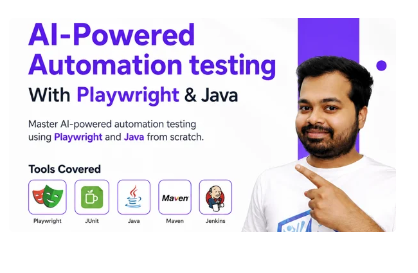
AI-Powered Automation testing With Playwright & Java

- Description
AI-Powered Automation testing With PLaywright & Java Course Outcome
- Demonstrate proficiency in fundamental Playwright commands within a Java environment to enable effective and intelligent interaction with diverse web elements.
- Utilise a variety of Playwright locators—including ID, Name, XPath, and CSS selectors—to accurately identify and interact with elements on complex web interfaces.
- Apply AI-assisted strategies to handle dynamic and adaptive web elements, ensuring reliability and stability in automated test execution.
- Implement cross-browser testing methodologies using Playwright with Java to ensure compatibility and consistent user experiences across major browsers.
- Design and execute data-driven testing frameworks that leverage Playwright’s capabilities with Java for scalable and maintainable automation solutions.
- Manage advanced browser interactions, including handling pop-ups, iframes, alerts, and multiple window contexts, through efficient Playwright scripting in Java.
- Leverage Playwright’s capabilities for managing cookies, sessions, and dropdown elements, applying AI-based optimisations for improved automation performance.
- Identify, diagnose, and resolve automation issues through advanced troubleshooting and debugging techniques within a Java and AI-augmented environment.
- Explore advanced automation topics, including headless testing, secure handling of SSL certificates, and AI-integrated testing workflows for comprehensive and future-ready automation coverage.
- Integrate Playwright with leading Java-based testing frameworks, such as Mocha, Jest, or Test Runner, to enhance test structure, reporting, and maintainability.
Manual Software Testing Tools







AI-Powered Automation testing With PLaywright & Java course features
- Comprehensive Curriculum
- Expert Instructors
- Interactive Learning
- Weekly Tests
- Feedback and Assessment
- Real time Projects
- Continuous Support
- ISO Certification
- Mock Interview
- Unlimited Placement Support
Core Java and Essentials
Installing Java and Installation of Eclipse,Intellij
What are Tokens?
What are its Advantages?
How Java Internally works?
How to run first program?
How to store diffrerent datatypes in java?
Variables, initilization and utilization?
local,global and final variables?
DataType,its size, how to calculate size
What is public static void main(Main Method)
How methods can be created in Java
Methods
Static methods
Non static methods
Constructor
Constructor overloading
Java condition/Comparison Operators
If else statement
if else if
nested If else
Operators
Logical Operators
Methods Overloading
For loop-increment
For loop-decrement
For loop to print something
While loop
Do While Loop
Inheritance
Single level inheritance
Multilevel inheritance
Multiple level inheritance
Diamond Problem
Hierarchical level inheritance
Hybrid level inheritance
Method Overriding
Super keyword
super calling statement parametrized
Super calling for non parametrized
Java Math class
Switch case
static initialization block and IIB
String function
String functions problems
Return Type
Math Functions
this calling statement
this calling statements vs super calling statements
super keyword vs this keyword
Understanding how to access methods from different class
Access Specifier for methods
Access Specifier for class
Access Specifier for variables
Advance Java Concepts
String
String functions and its uses,
String builder,
String Buffer
Array
Array Advantages
Array program
Array program fetching values with looping concepts
Some interview related programs on Array
Astract Class
Concrete Class
Abstract methods vs Concrete Methods
How relation will take place between Concree Class and Abstarct Class
Some real time problems on Abstarct class and Concrete class
Interface
Interface methods
Understanding inheritance between Abstract class ,Concreate class and Interface
Some real time problems on Interface,Abstarct class and Concrete class
Achieving multiple level inheritance using interface Interface evolution from Java 1 to 15
Java polymorphism
compile time polymorphism
run time polymorphism
Collection concepts
Array list
LinkedList
VectorList
Hashset
Linkedhashset
Treeset
Priority Queue Map Concepts Collections Class and its methods
Important Concepts in Java
What is Object oriented programming language?
Which languages are called as OOPS?
Which languages are not OOPS?
Encapsulation
finally
throw
Throws
Primitive Type Casting
Class Type Casting
Continue Keyword
For Each Loop (Enhanced For Loop ) Checked and Unchecked Exceptions and their difference
Hash Code value how it is generated?
Why in SET Collection does not follow indexing?
What are ASCII value in Java?
PlayWright Automation Core Concepts
- Introduction to Playwright Java Environment Setup and
installation of Playwright - Importance of Playwright-Async Wait ,Browser context and
page fixtures - Idea on Different types of locators in playwright
- Playwright basic methods for Web Automation testing
- Handling Different UI elements with playwright
- Browser Context in playwright(handling different user sessions)
Deep Diving into Advance concepts of Playwright
- Handling Dropdowns and PopUps in playwright
- Handling mousehover,mouseclick and Drag and Drop
operation in playwright - Handling Web dialogs ,frames and event listener using
playwright - Capturing Screenshot and perform visual testing in playwright
- Handling Excel Utility and uploads and downloads in
playwright
TestNg – Overview
Advantages of TestNg
Installing TestNG in Eclipse
TestNG Annotations
TestNG Assertions
Prioritizing Test Cases
TestNG Parameters
1) Priority
2) Enabled
3) InvocationCount
Cross browser Testing
Parallel Testing with TestNg
Grouping the Test Cases based on what kind of scenerio it is
TestNg Reports
dependsOnMethods-Testng Depenedency
DataProvider Annotation
TestNG Listeners
IRetryAnalyzer interface in testng
Reporter.log
timeOut parameter of TestNg
Parameters Annotation in TestNg
what is difference between java project and maven project
How to generate extent reports
Project Configuration from Scratch in Playwright
- What is Page Object Model and its importance in playwright
- Using Property files , Utilities and Constants in playwright
- Creation of Page objects and Action Methods for end to end
script - Driving data from external JSON files in the framework
- Implementation of parameterization in running test with
different data sets - HTML reporting integration with existing automation
framework
GITHUB and Jenkins Integration with Automation
Framework
- Idea and Overview of GIT commands
- Idea on CICD concepts and Overview ,Installation of Jenkins
- Deep diving into different options in Jenkins
- GITHUB+Playwright+Jenkins Integration
AI-Powered Automation Testing
- Writing test cases & plans with AI (ChatGPT, GitHub Copilot)
- Writing Playwright automation code with AI
- Setting up automation pipelines with AI (GitHub Actions)
- Beginners in software testing
- Quality assurance professionals
- Software developers interested in testing
- Anyone looking to start a career in software testing
- Software developers who want to expand their skill set and learn more about Software testing













Playwright is a modern web testing framework developed by Microsoft. While both Playwright and Selenium are used for browser automation, Playwright offers faster execution, better support for modern web applications, automatic waiting, and built-in support for multiple browsers (Chrome, Firefox, Safari). Playwright also handles async operations more efficiently than Selenium.
This course is ideal for:
- Automation testers who want to expand their skills.
- Developers interested in end-to-end testing.
- QA engineers looking to automate modern web applications.
- Anyone with basic JavaScript knowledge who wants to explore web automation.
This course covers Java and Playwright from basics. No knowledge is required in advance to take up this course.
You’ll learn how to use Playwright for automating web applications, including:
- Writing and executing browser automation tests with Java.
- Handling dynamic content, iframes, shadow DOM, and more.
- Running cross-browser and cross-platform tests.
- Parallel execution, debugging, and creating test reports.
- Integrating Playwright with CI/CD pipelines for continuous testing.
The course is designed to be completed in 3.5 months with part-time study. It consists of 70 hours of live teaching + video content, coding exercises, and hands-on projects. The pace is flexible, so you can learn at your own speed.
Yes! Throughout the course, you’ll work on real-world projects that simulate the automation of actual web applications. By the end of the course, you’ll have a working two Projects that you can showcase in your portfolio.
Playwright supports all major browsers, including:
- Chromium (Google Chrome, Microsoft Edge)
- Firefox
- WebKit (Safari)
- Playwright works across multiple platforms, including Windows, macOS, Linux, and supports headless testing for faster execution in CI/CD environments.
To achieve thorough test coverage in Manual Testing, create comprehensive test plans, identify all possible test scenarios, and systematically execute test cases. Ensure that all functional aspects of the software are thoroughly tested.
Absolutely! By the end of this course, you’ll have the skills and knowledge to apply for roles such as Automation Tester, QA Engineer, or Test Automation Developer. You’ll also be able to confidently automate modern web apps using Playwright and Java.
This course will guide you through integrating Playwright tests with popular CI/CD tools like Jenkins, GitHub. You’ll learn how to configure headless browser testing for continuous integration environments, ensuring your test suite runs seamlessly with every deployment.
Playwright automatically waits for elements to be ready before interacting with them. This reduces the need for explicit waits in your tests, making them more reliable and reducing test flakiness. The course will teach you how to leverage Playwright’s smart waiting mechanisms.
Yes, Playwright supports running tests in parallel, which greatly reduces the time it takes to execute large test suites. This course will show you how to configure and execute parallel tests effectively.
You’ll have access to Trainer ,Mentors, Video access on Mobile as well as Desktop Application.
As an educational technology company, we provide a range of courses, including automation testing, manual testing, software development, and ethical hacking. Our courses aim to offer students technical learning experiences. What sets us apart is that all our courses feature real-time, project-based learning supported by industry experts who serve as our instructors.